Screenshots
See it in action.
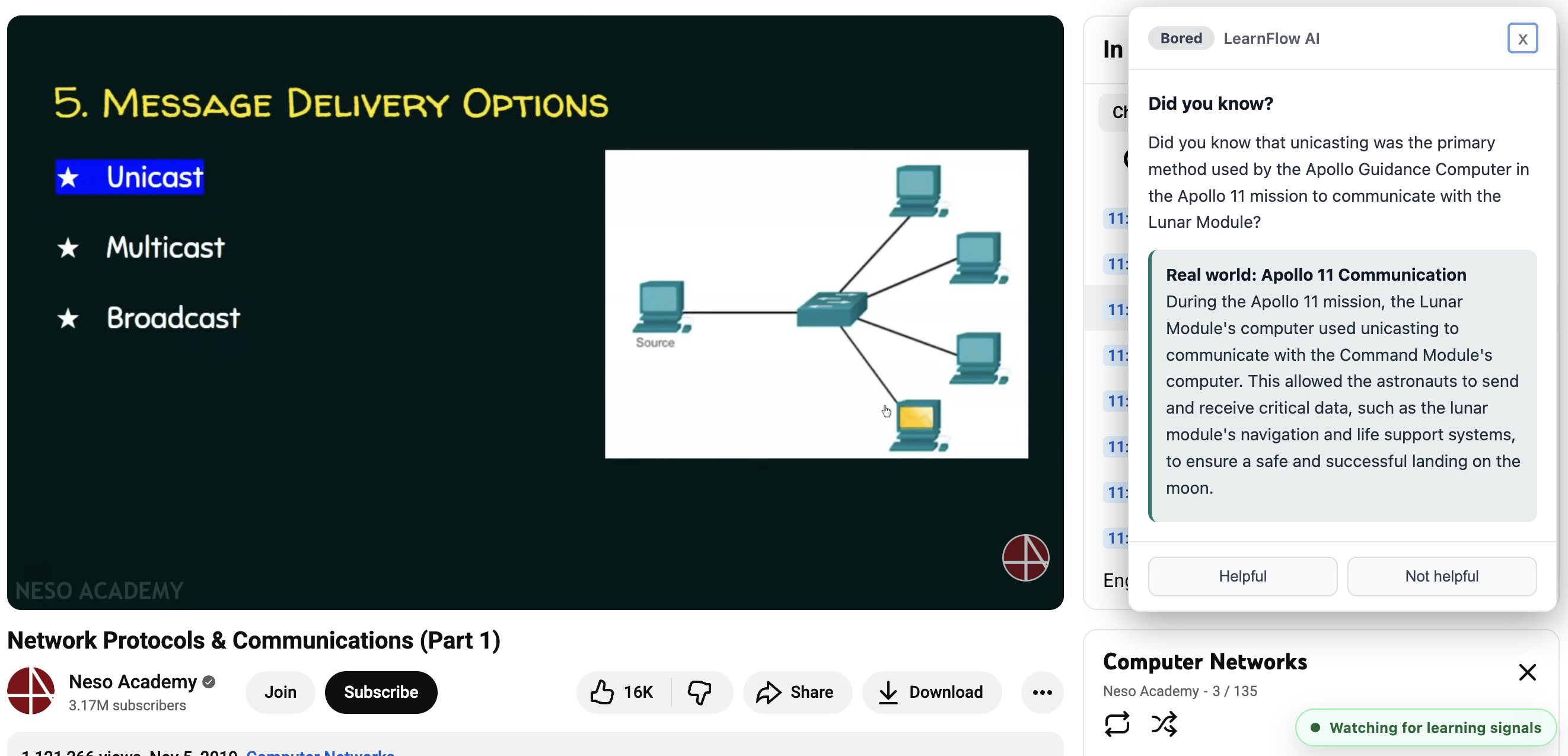
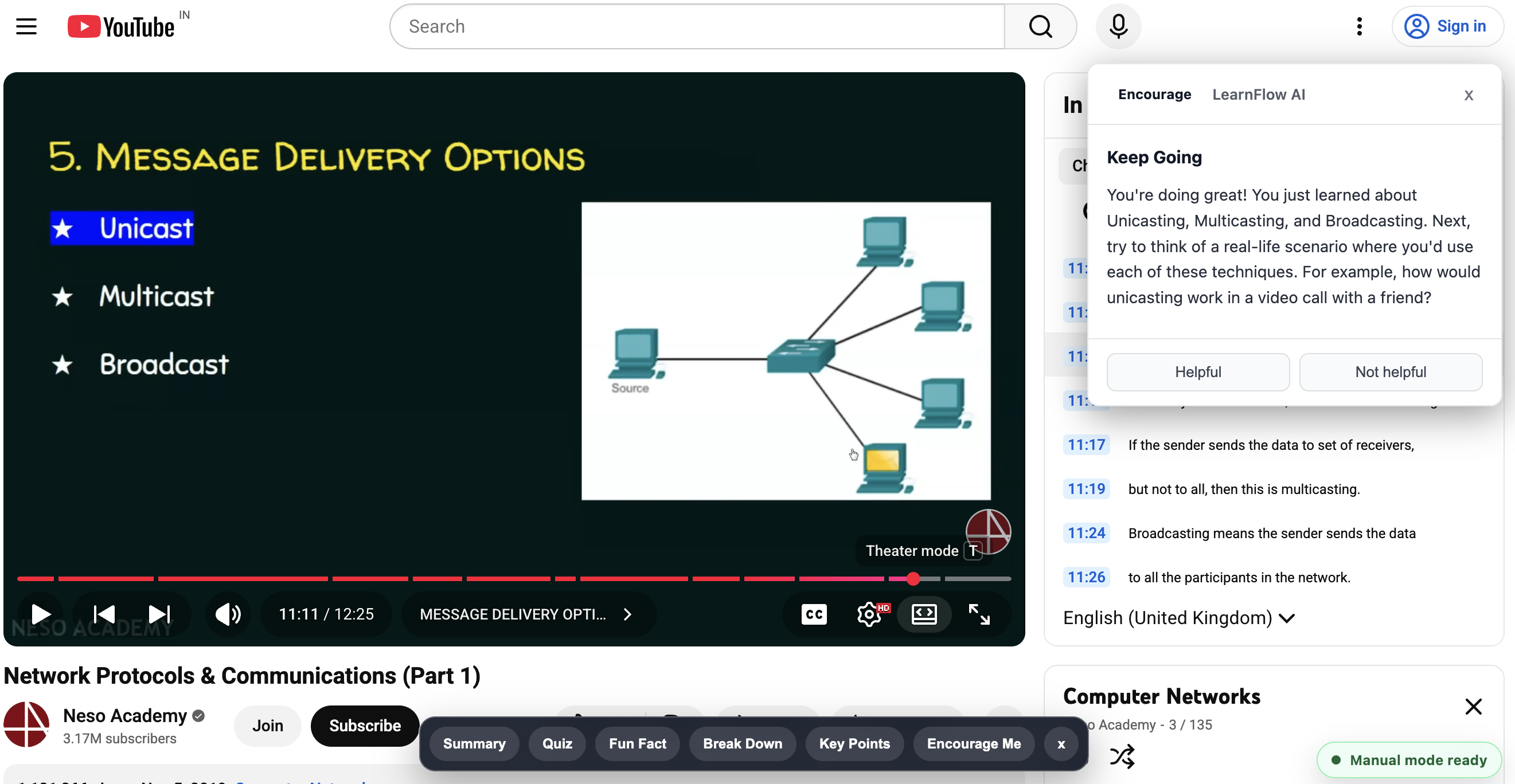
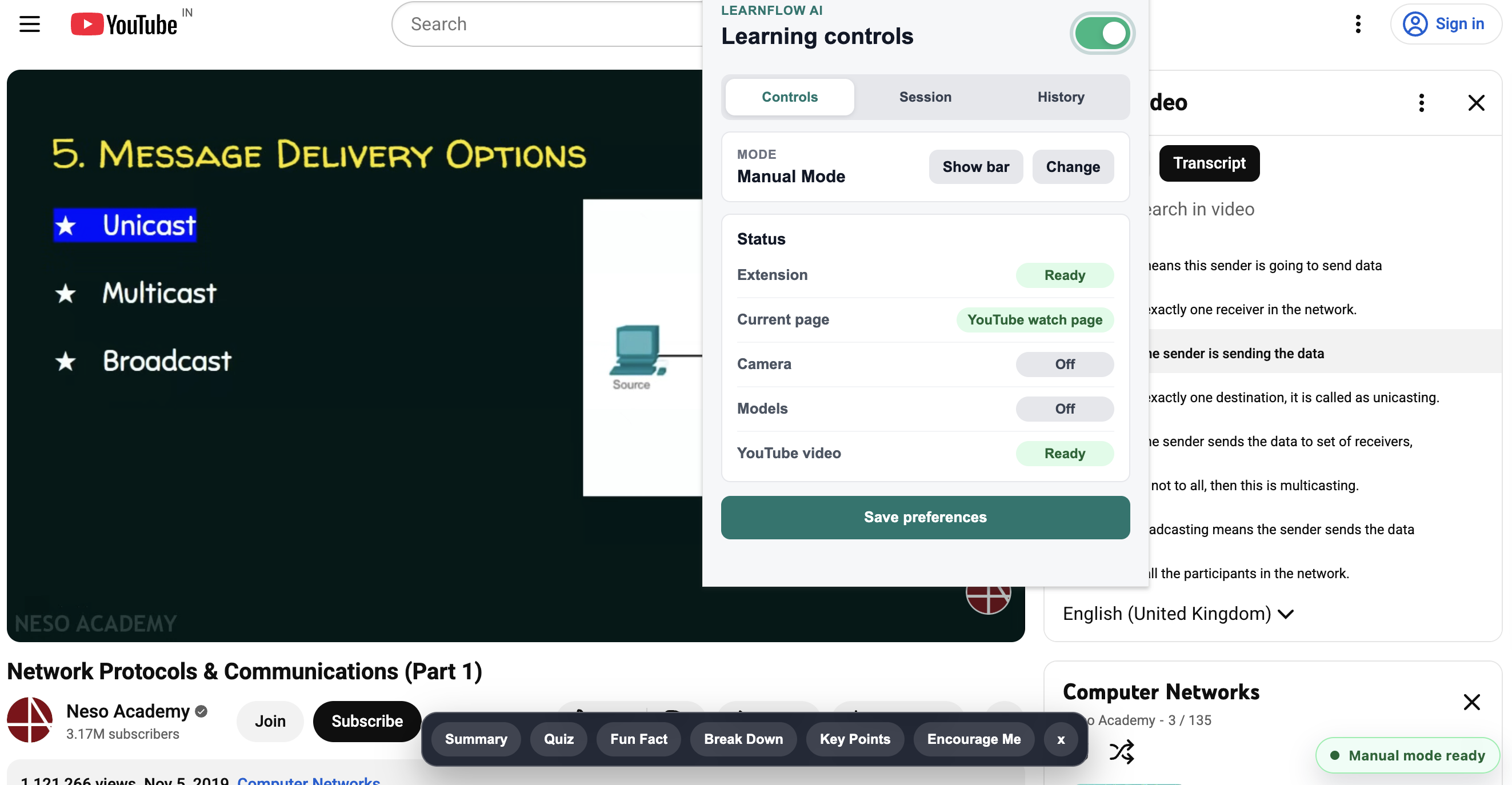
Manual Mode — action chips overlay on the YouTube video page
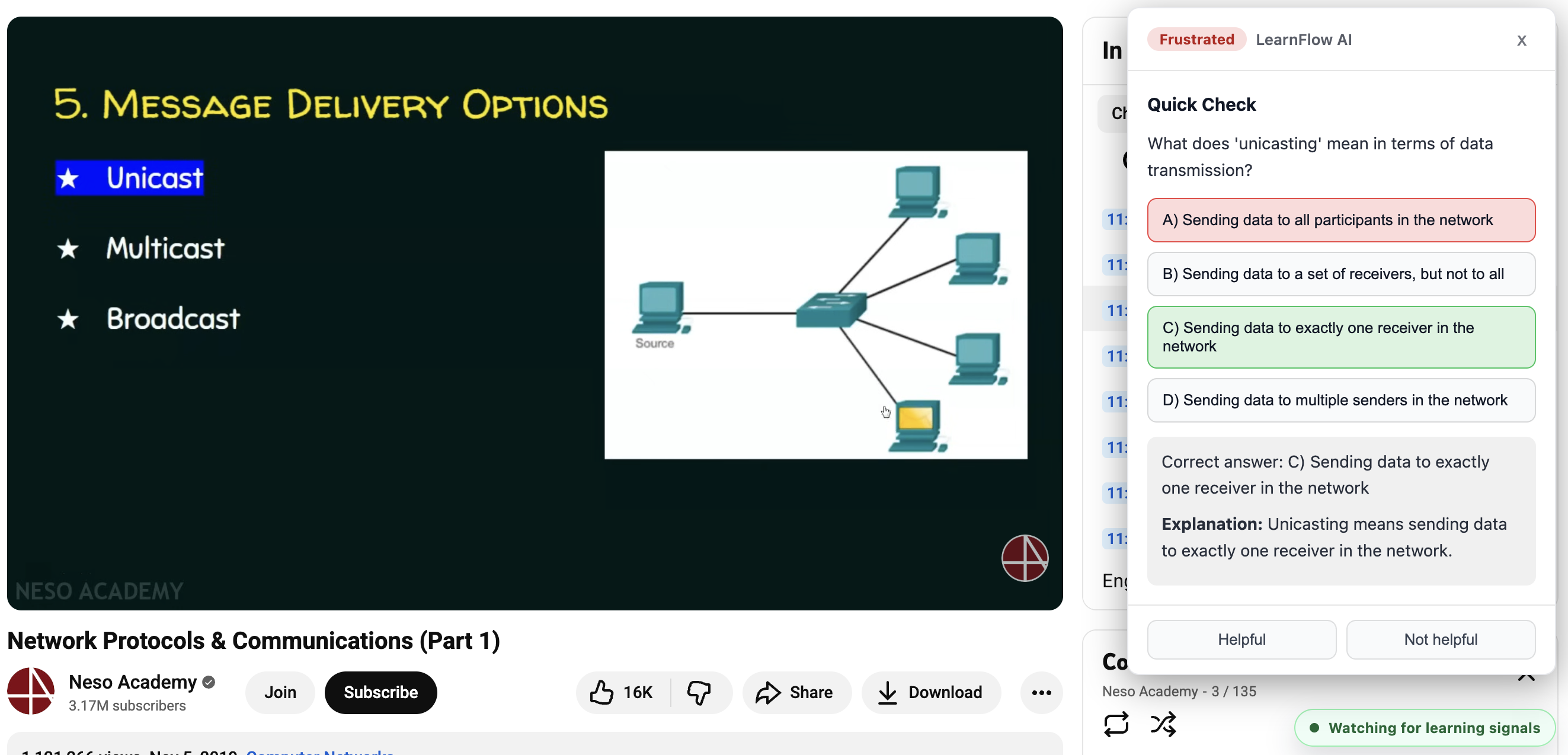
LearnFlow AI watches for confusion, frustration, and boredom as you learn on YouTube — then fires the perfect AI-powered nudge before you give up or zone out.
LearnFlow detects your real-time emotional state from your webcam and responds instantly — anchored to the exact timestamp in the video you're watching.
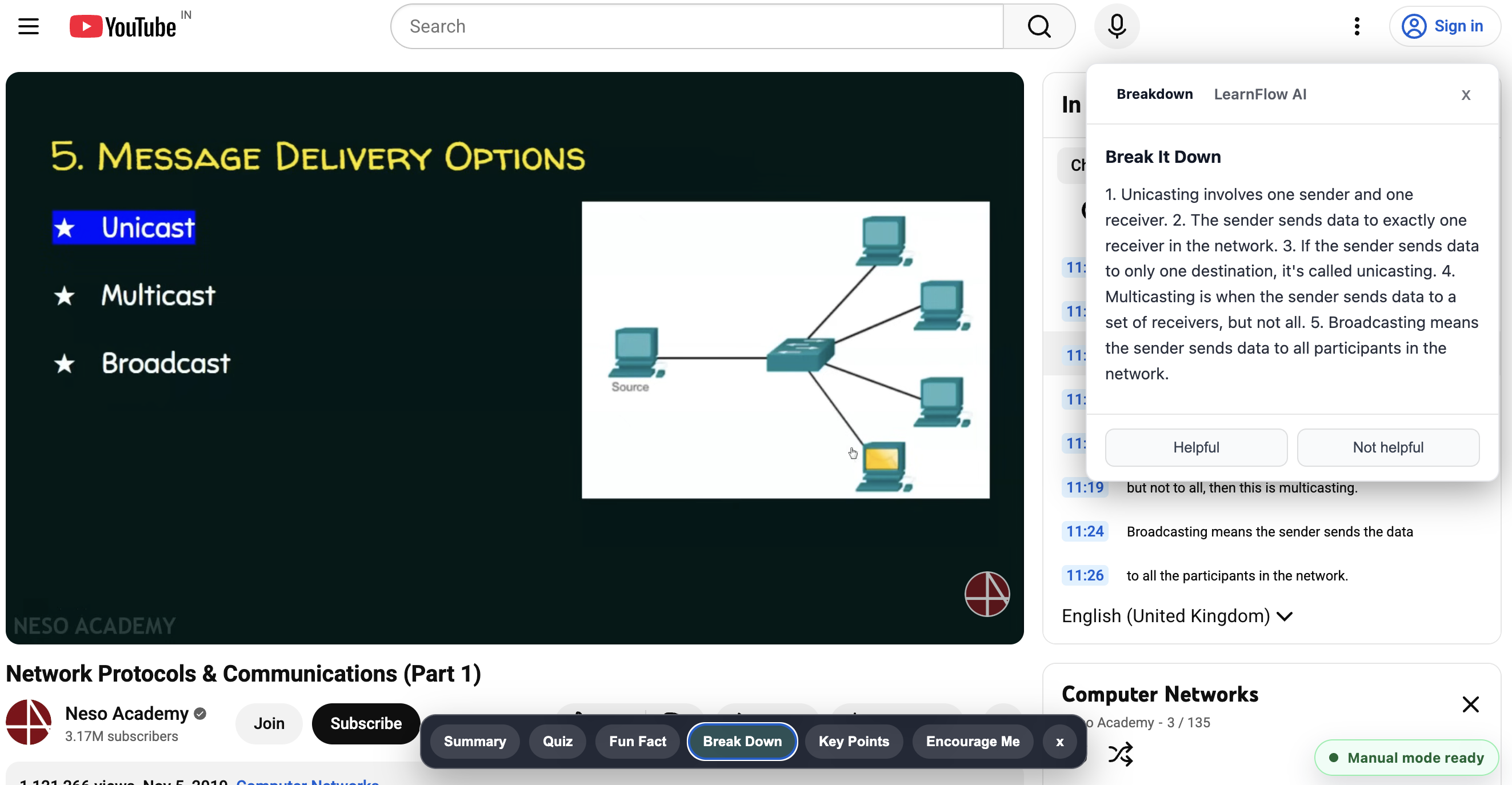
A step-by-step explanation of the concept playing right now, tailored to your level — not a generic Wikipedia summary.
A quick 3-question quiz on the current topic. Getting answers right resets frustration and builds real confidence.
A real-world application or mind-bending connection that makes the dry topic suddenly feel worth knowing.
Fully automatic — face-api.js runs in the browser with zero video leaving your device. Your face stays yours.
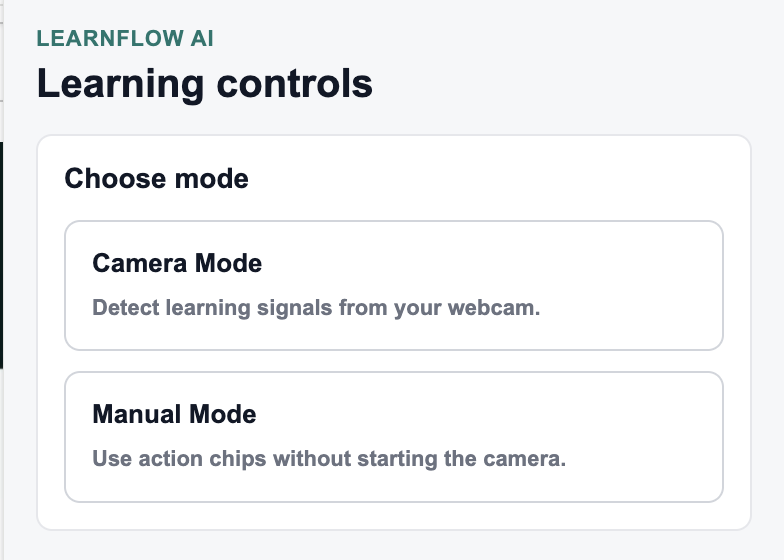
No camera? No problem. Action chips let you request Summary, Quiz, Fun Fact, Breakdown, or Encourage Me on demand.
Face detection runs entirely on-device. Only the video title, transcript excerpt, and detected emotion go to the LLM — never your camera feed.
A heatmap of when and how often each emotion fires per session. See exactly where a video lost you.
Quiz score streaks build across a session, rewarding you for actually retaining what you watch.
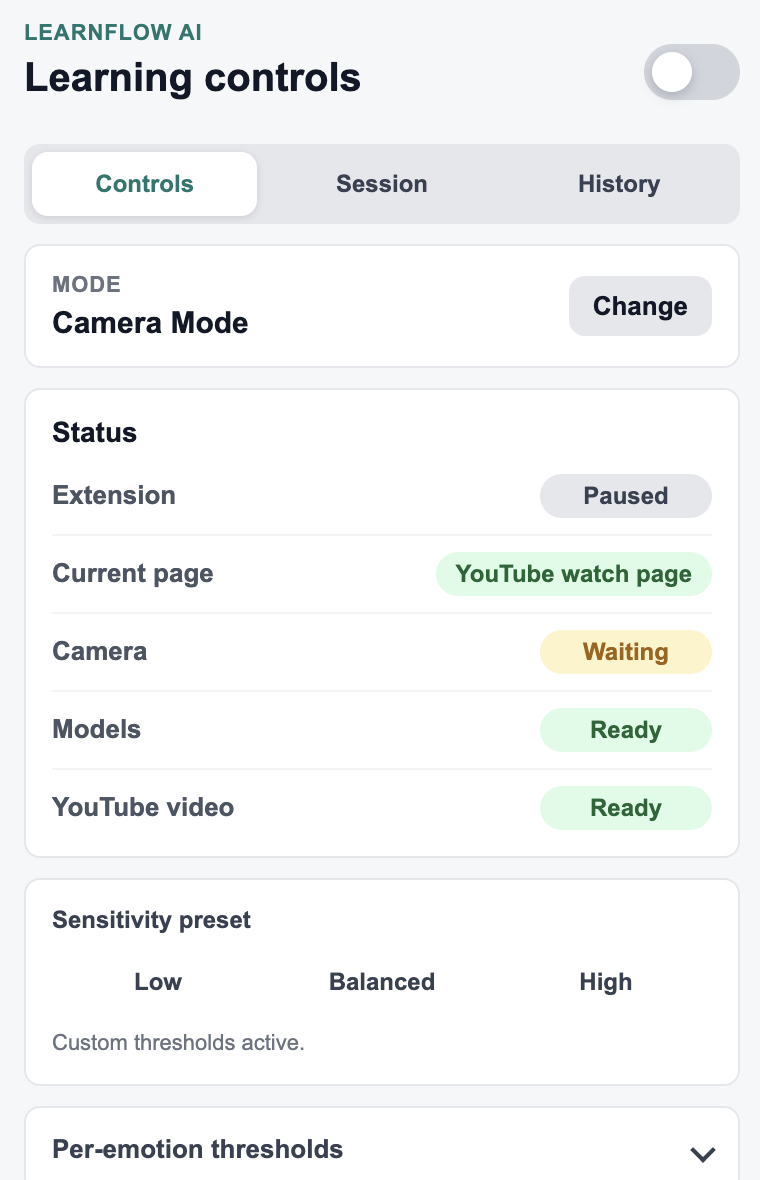
Low / Balanced / High presets with per-emotion threshold sliders and configurable cooldowns from 30s to 5 min.
Manual Mode — action chips overlay on the YouTube video page
Free forever. No account needed. Works on any YouTube video.
Open source · MIT license · clone the repo and load it as an unpacked extension in Chrome